# Schedule Recurring Emails from Google Sheets
> Set Mail My Sheets to send hourly, daily, weekly, or monthly, and pause or resume any schedule whenever your reporting cadence changes.
- Source: https://www.8apps.co/docs/mail-my-sheets/using-mail-my-sheets/scheduling-options
- Markdown: https://www.8apps.co/docs/mail-my-sheets/using-mail-my-sheets/scheduling-options.md
- Language: en
---
# Scheduling Options
Mail My Sheets offers flexible and highly customisable scheduling options to automate email delivery exactly when you need it.
## Available Schedules:
With Mail My Sheets, you’re in full control! Set the timing that works best for your schedule!
Select from different schedules that work the best for you: Hourly, daily, weekly, or monthly.
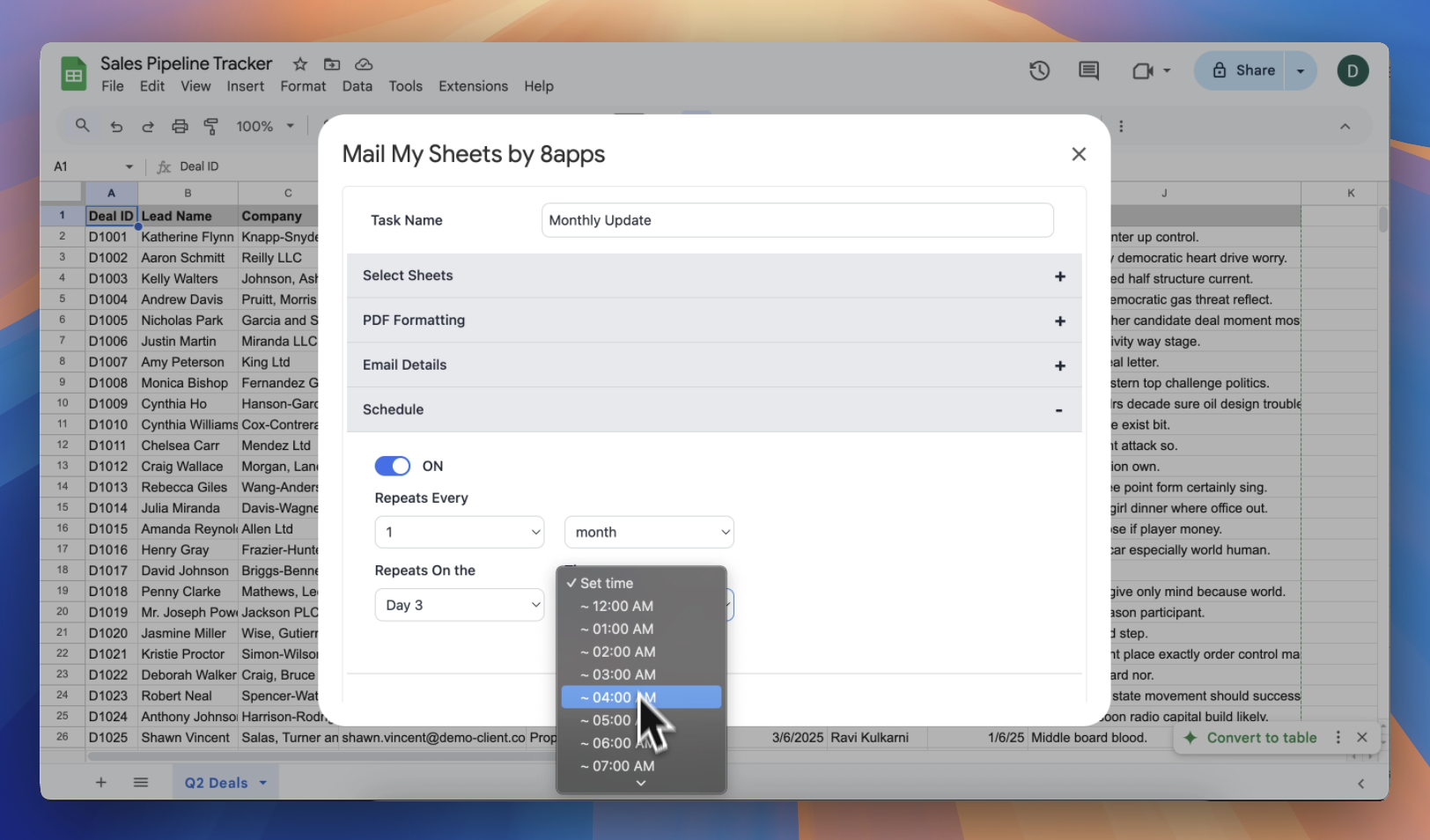
| **Schedules** | **Examples** |
| ------------- | -------------------------------------------------------------------------------------------------------------------------------------------------------------------------------------------------- |
| Hour | - Send a report at an interval of every 2 hours
- Send a report every 8 hours |
| Day | - Every day at 6\:00 AM
- Every 3 days at 12\:00 PM
- Every 10 days at 11\:00 AM |
| Week | - Every week on Monday at 8\:00 AM
- Every week on Monday, Wednesday and Saturday at 9\:00 AM
- Every 2 weeks on Tuesday and Friday at 10\:00 AM
- Every 4 weeks on Sunday at 12\:00 AM |
| Month | - Every month on Day 1 at 8\:00 AM
- Every 2 months on Day 15 at 9\:00 AM
- Every 6 months on Day 12 at 12\:00 AM |
:::info
You can pause or resume schedules anytime!
:::