Welcome to Accelerator Keys by 8apps 🚀
Thanks for installing Accelerator Keys - your personal shortcut assistant.
This Chrome extension helps you learn and use keyboard shortcuts across Gmail, Google Calendar, Docs, Sheets, Slides, and more - without memorizing a thing.
Let’s get you set up in 3 quick steps:
📌Step 1: Find & Pin the Extension
Chrome hides new extensions by default – let’s fix that.
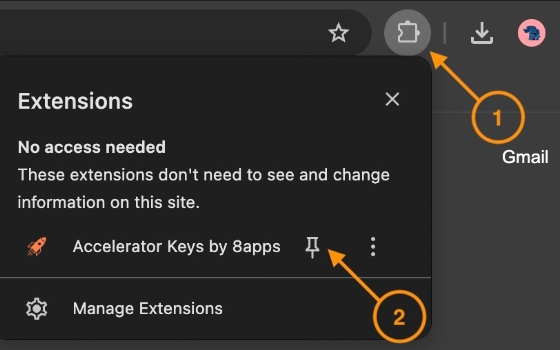
•Click the 🧩Puzzle like icon at the top-right of Chrome to access Extensions.
•Find Accelerator Keys in the dropdown.
•Click the 📌 pin icon next to it so it stays visible on your toolbar.
🔑 Step 2: Launch & Sign In
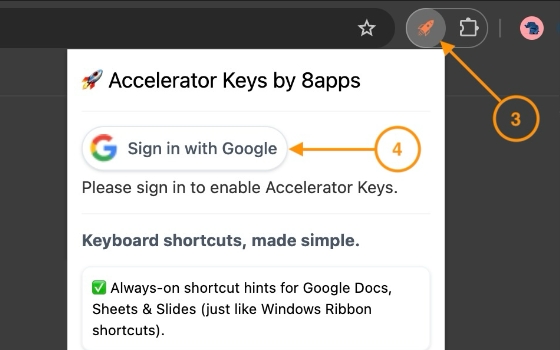
Click the Accelerator Keys icon in your toolbar.
Sign in with your Google account to activate the extension. If you have multiple Google accounts, we recommend you to use your primary account. An account will help us save your preferences, personalize your experience and keep you updated about new features.
🛡️ Privacy-first: We need your account details to know your full name and email address. We don’t read your emails, calendar, or documents. We only display shortcut tips – nothing more.
🚀 Step 3: Try It Out in Your Favorite Google Apps
Let’s see it in action across Gmail, Calendar, Docs, Sheets, and Slides.
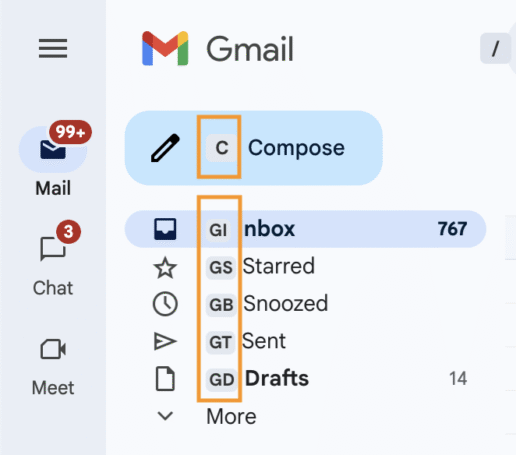
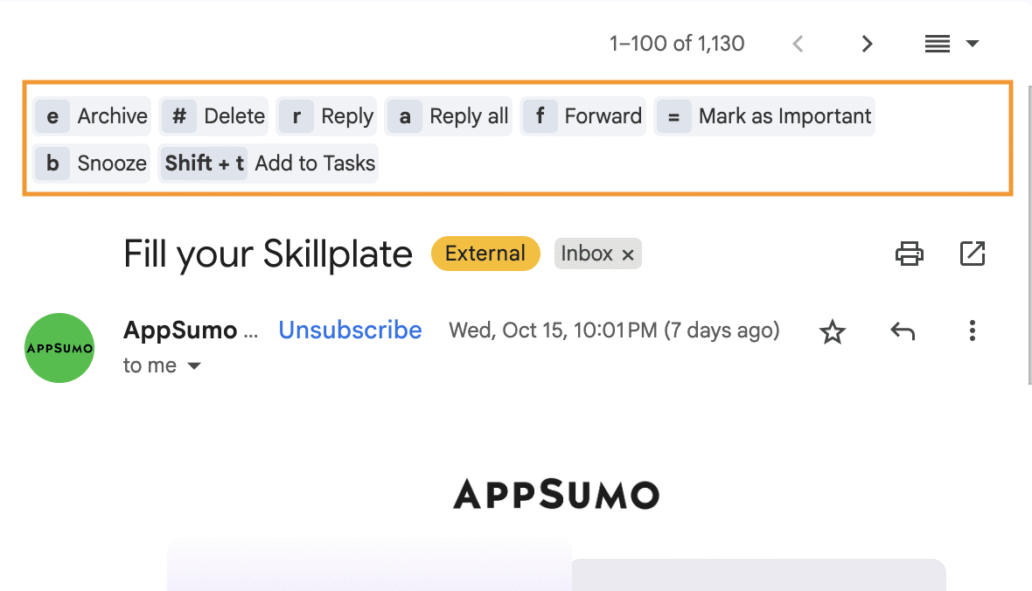
📨 Gmail
Hover or press keys to reveal shortcuts like:
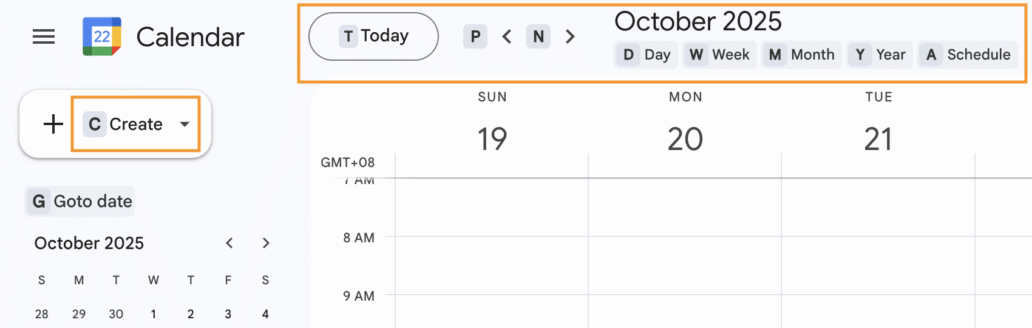
📅 Google Calendar
Use keyboard shortcuts like:
📝 Docs, Sheets & Slides
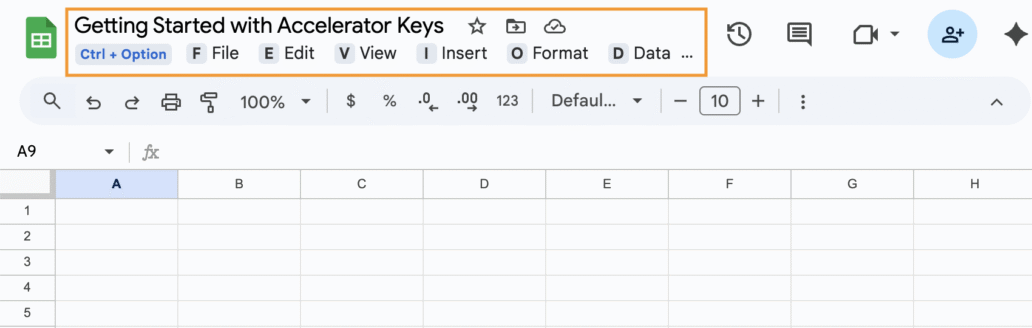
Open new Google Docs, Sheets, or Slides, or refresh something that you already have open.
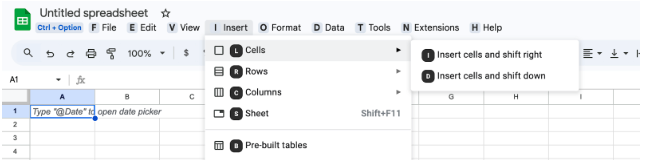
• Notice the always-on highlighted letters in the menu (File, Edit, View…) – these are called Accelerator Keys.