The simplest way to rediscover leads hiding in your inbox.
1. The Hidden Goldmine in Your Inbox
If you've worked in sales, marketing, partnerships, or run your own agency or startup — chances are, your most valuable contacts are already sitting in your inbox.
Old pitches. Warm leads that went quiet. Follow-up threads that went cold. Intros from three jobs ago. All of it's there — buried in your email conversations.
And yet, when the time comes to build a lead list or re-engage your network… most of us start from scratch. Or worse, we try to remember names manually.
It doesn't need to be that way.
2. The Problem: Why Manual Contact Collection Fails
Let's be honest — the default way most of us "build" our contact lists looks like this:
- Scroll through Gmail
- Open old threads
- Copy email addresses one by one
- Paste into Sheets or a CRM
- Hope we didn't miss anyone important
It's tedious. It's slow. And more often than not, we give up halfway through.
There are Chrome extensions that claim to help, but they often raise red flags:
- ❌ They ask for broad permissions
- ❌ They send data to third-party servers
- ❌ They break with Google's UI updates
And if you care about data privacy — especially for leads, clients, and personal networks — that's a risk you shouldn't take.
3. The Tool: Contact Extractor by 8apps
This is why we built Contact Extractor — a tiny tool that lives inside your Google Workspace and does one job:
Pull names and email addresses out of any Gmail conversation — instantly.
It's built for people like us:
- Sales folks juggling a million follow-ups
- Founders trying to rebuild their "black book"
- Teams that don't want to lose leads to inbox clutter
No logins. No external dashboards. No AI scraping your data.
It runs inside Google Sheets to define rules and workflows, and then it scans your Gmail inbox — and it's verified by Google.
Try it here:
Or browse through the FAQs for Contact Extractor.
4. How to Use Contact Extractor to Build Your Sales Contact List (Step-by-Step)
You don't need to be technical or spend hours copy-pasting from Gmail — here's how it works:
Step 1: Open the Add-on from Google Sheets
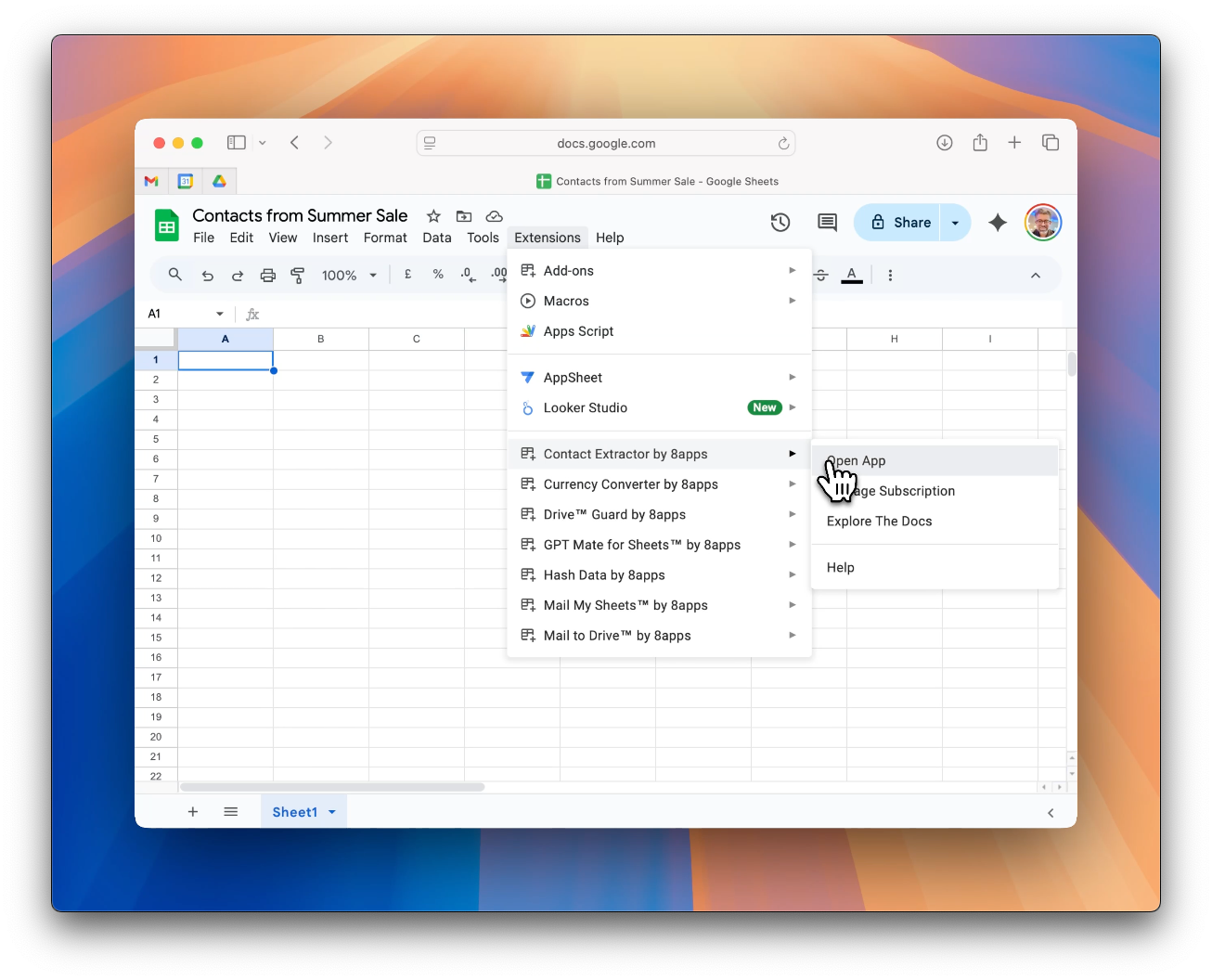
Head to Google Sheets → Extensions → Contact Extractor by 8apps → Open App.
This opens the Contact Extractor window — your control panel to set up tasks and workflows.
Step 2: Create a New Task
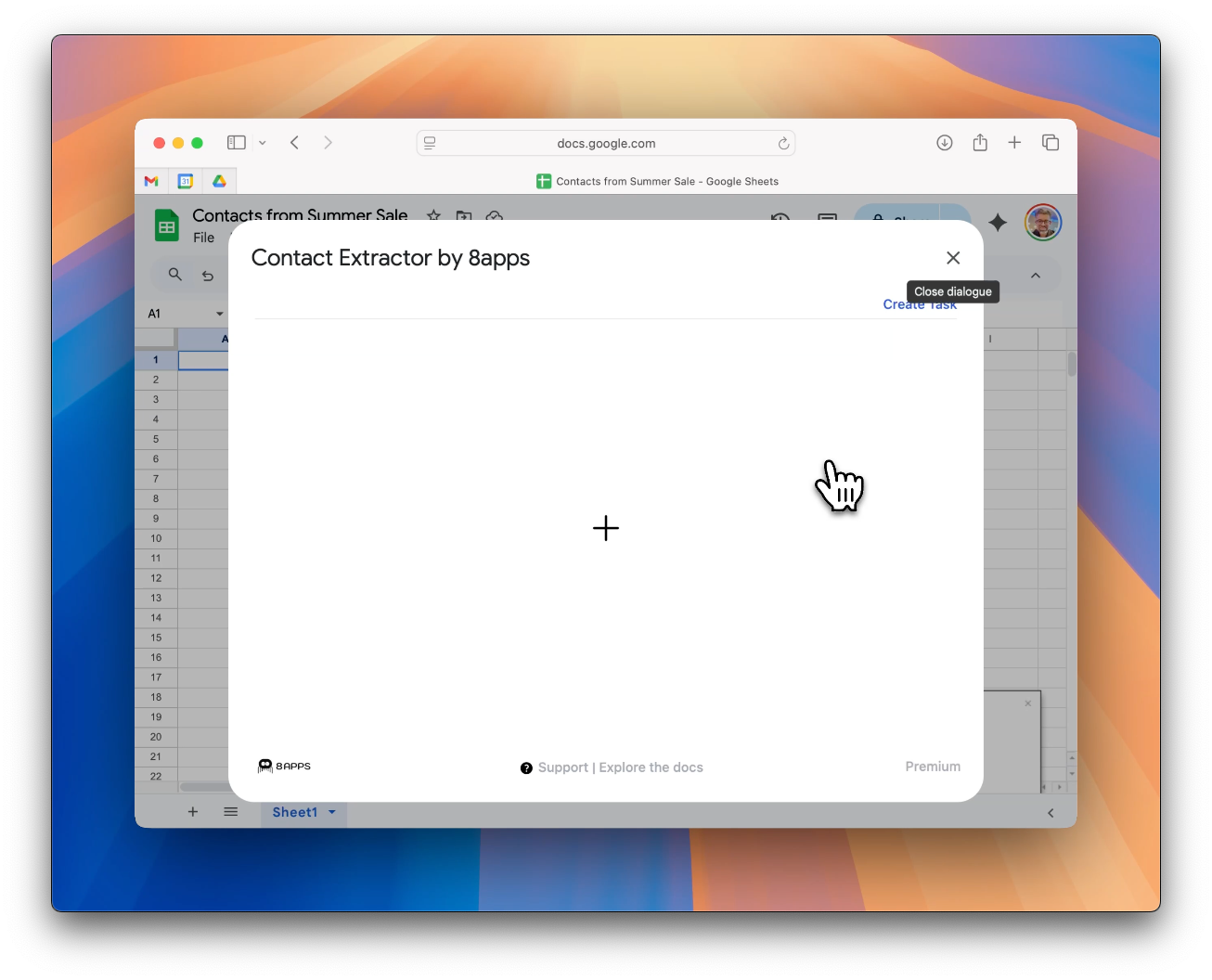
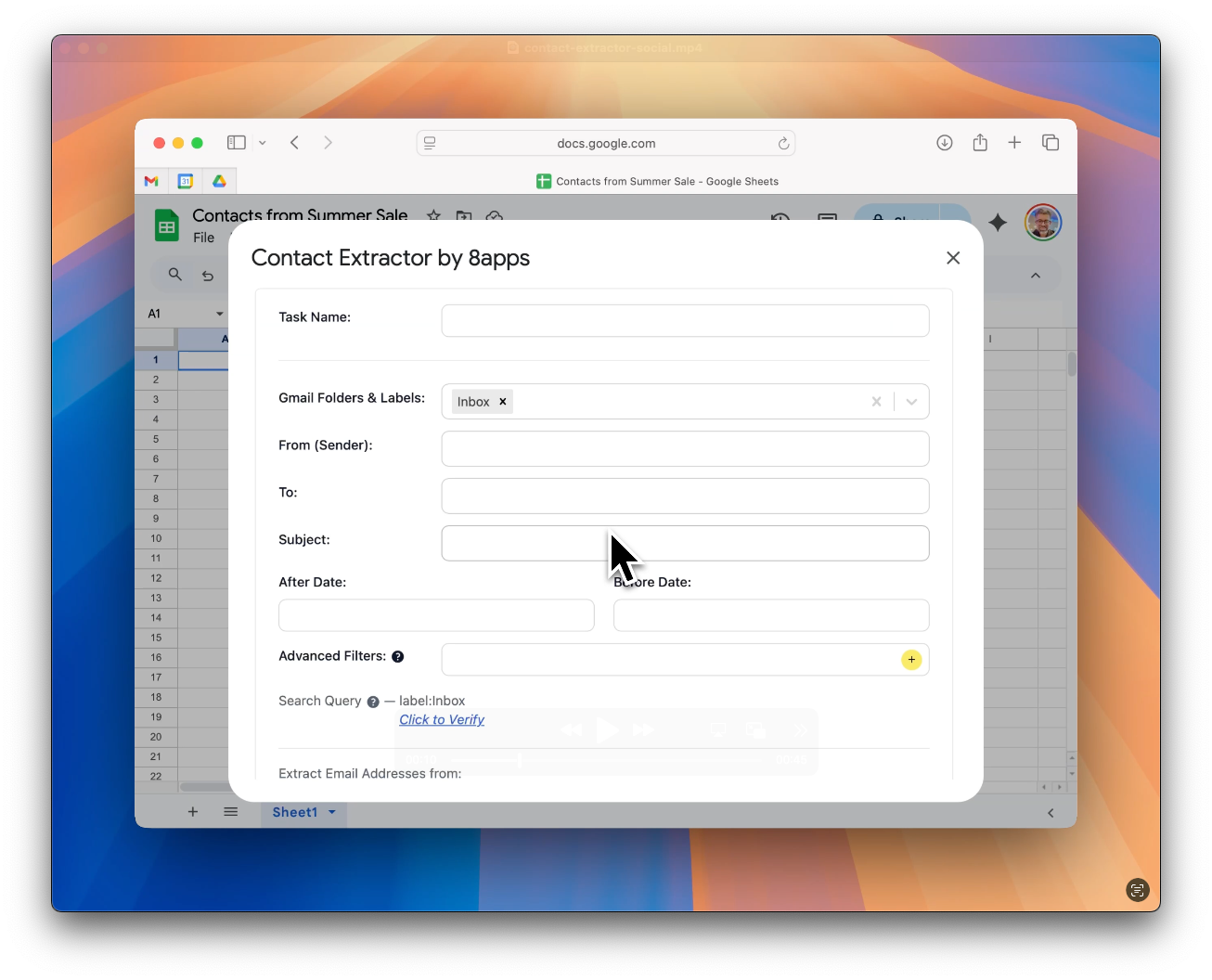
Click the "+" button to create a new task.
Each task is a contact extraction workflow — it can run once or on an hourly basis if you're monitoring a live label, entire inbox, or a particular set of conditions (or Gmail filters).
Step 3: Set Filters — Just Like Gmail Search
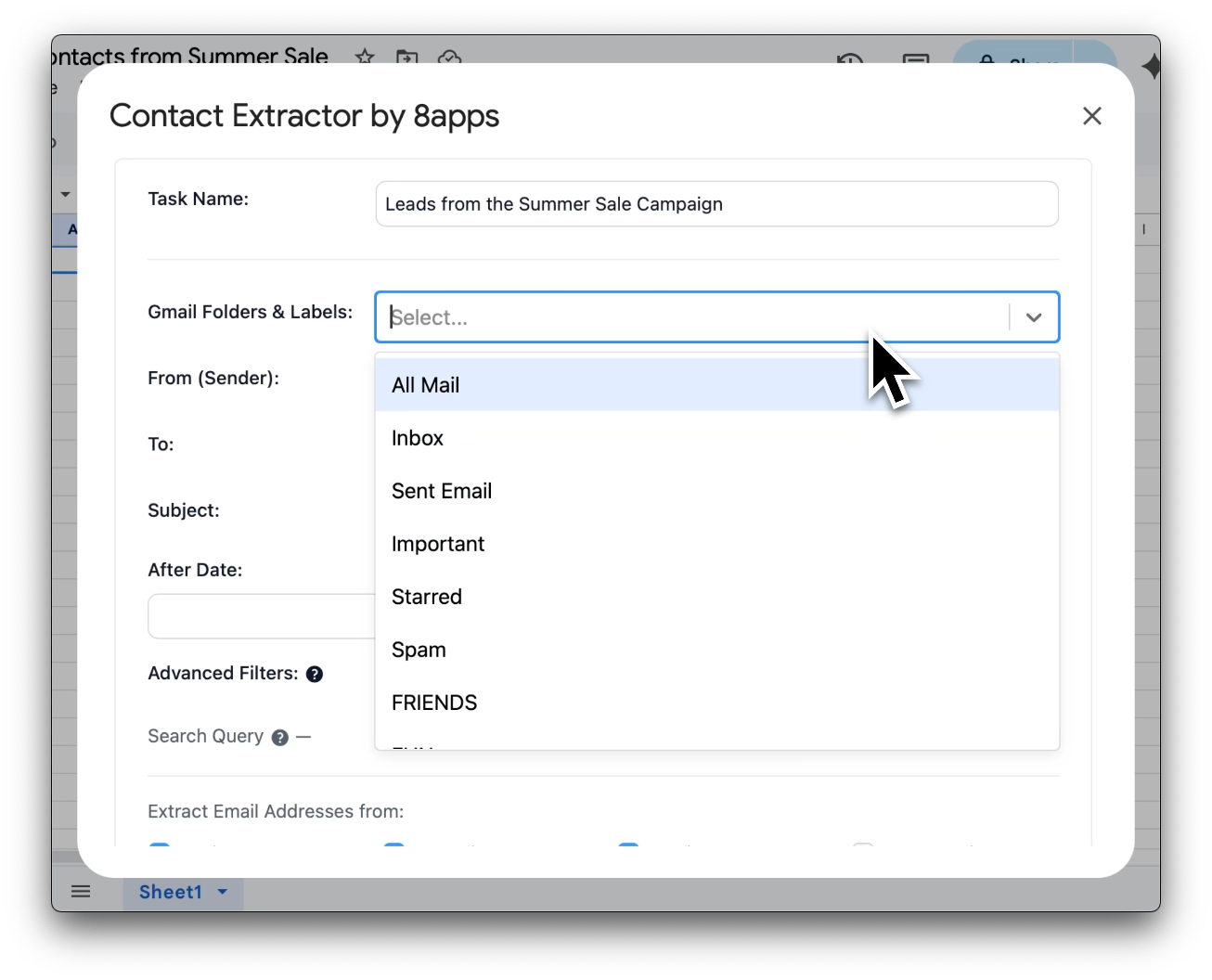
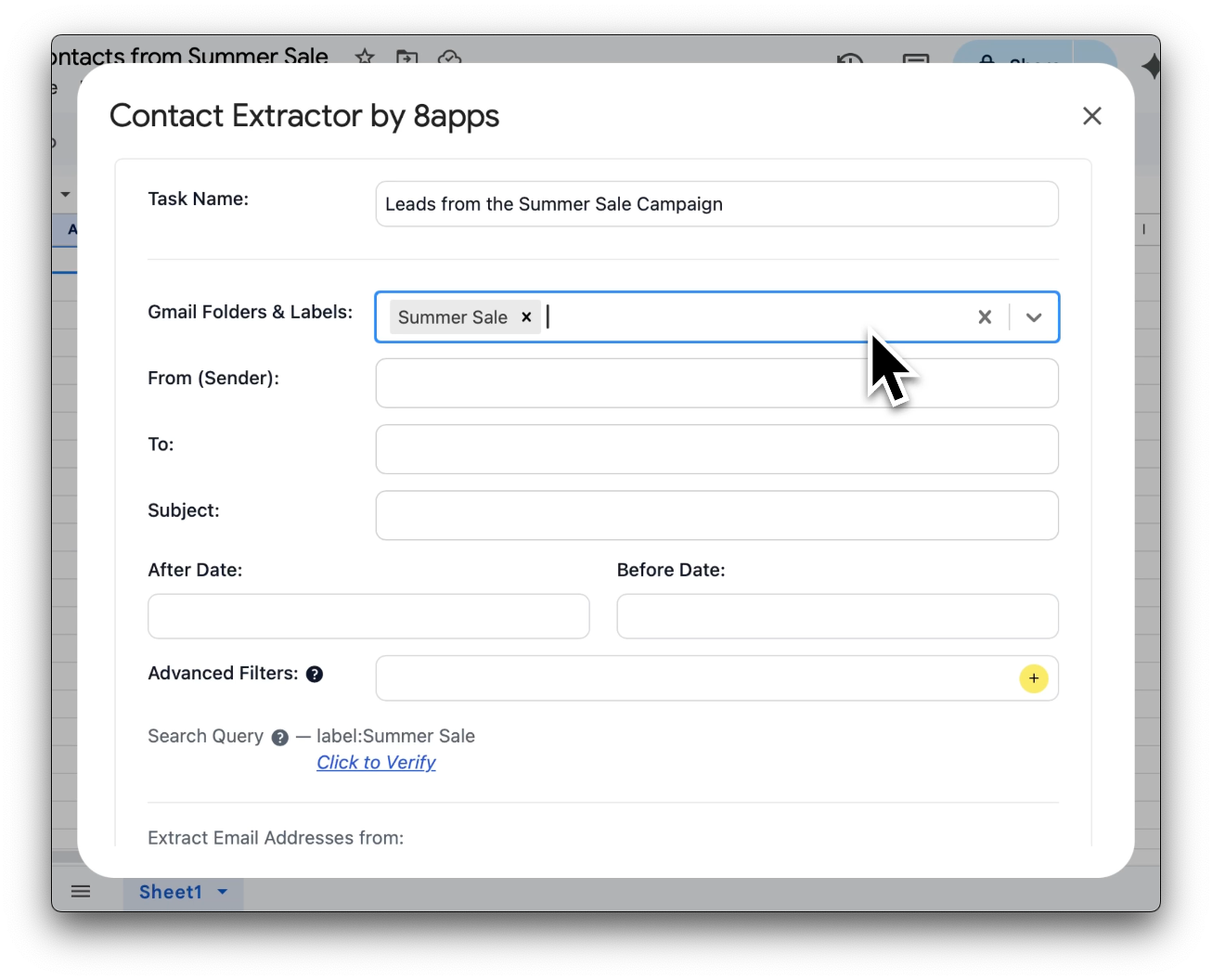
Fill in details like:
- Gmail labels or folders (Inbox, Sent, or any custom label)
- From, To, Subject keywords
- Date filters (e.g., after July 1, before Aug 1)
As you set these, a live Gmail-compatible search query is built automatically. Click "Verify" to preview matching emails directly in Gmail — no guesswork.
Step 4: Choose What to Extract
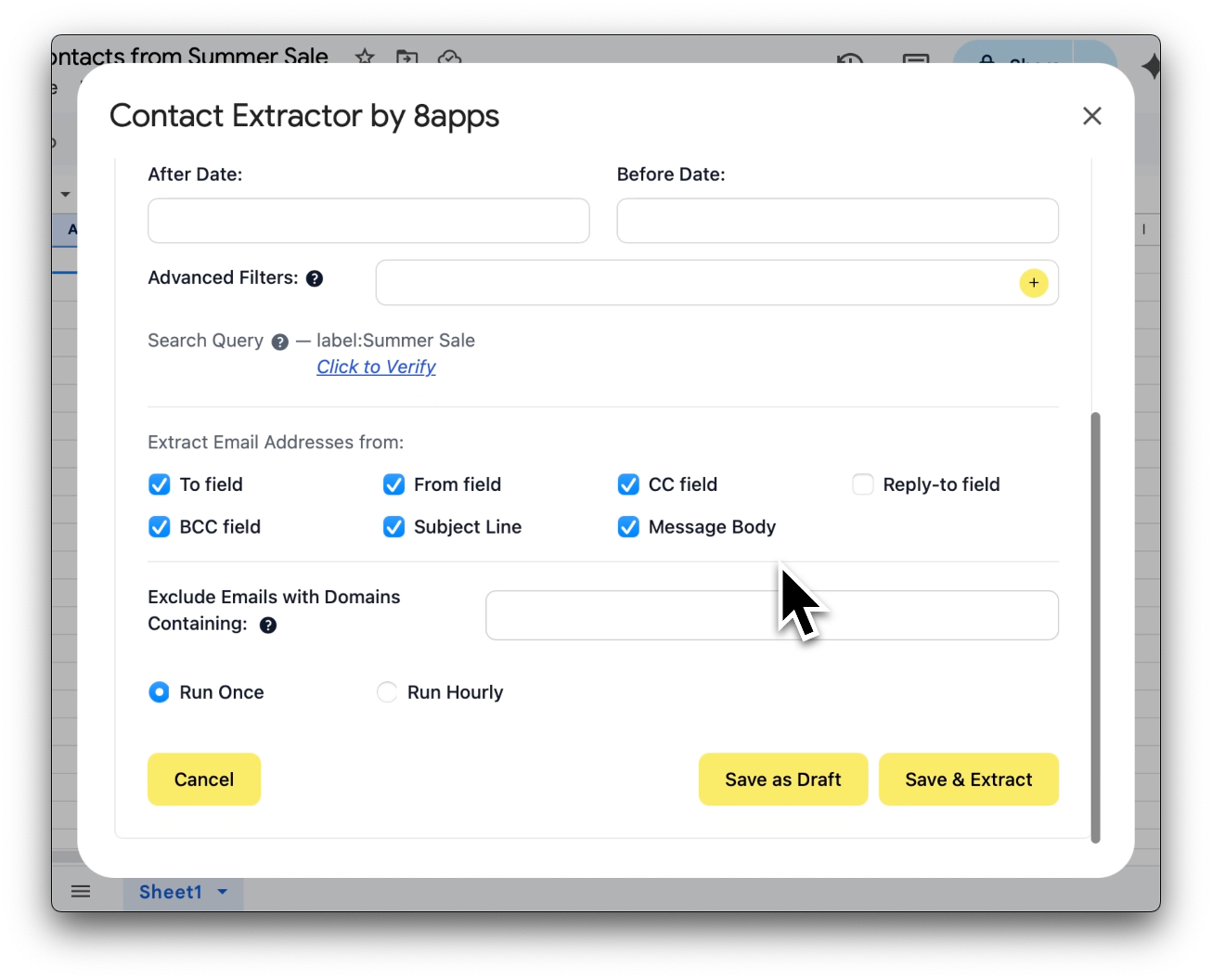
You can extract email addresses from:
- Headers like To, From, CC, BCC, Subject Line
- Message Body (if checked)
- Exclude domains (e.g. @yourcompany.com) to avoid internal addresses
You can also choose whether the task should:
- Run Once — for one-time extractions
- Run Hourly — for live monitoring (e.g. incoming leads in a shared inbox)
Step 5: Click "Save & Extract" — That's It
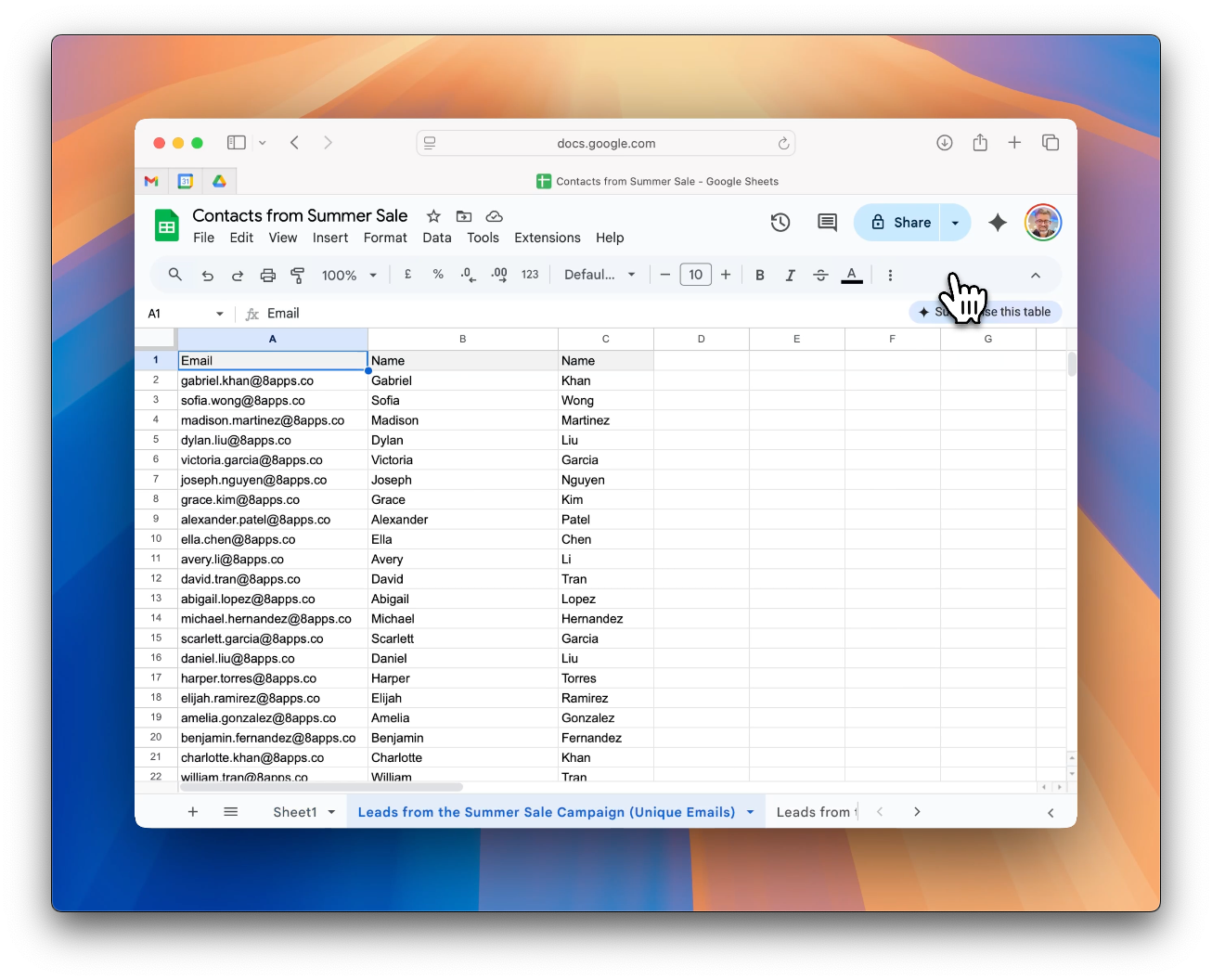
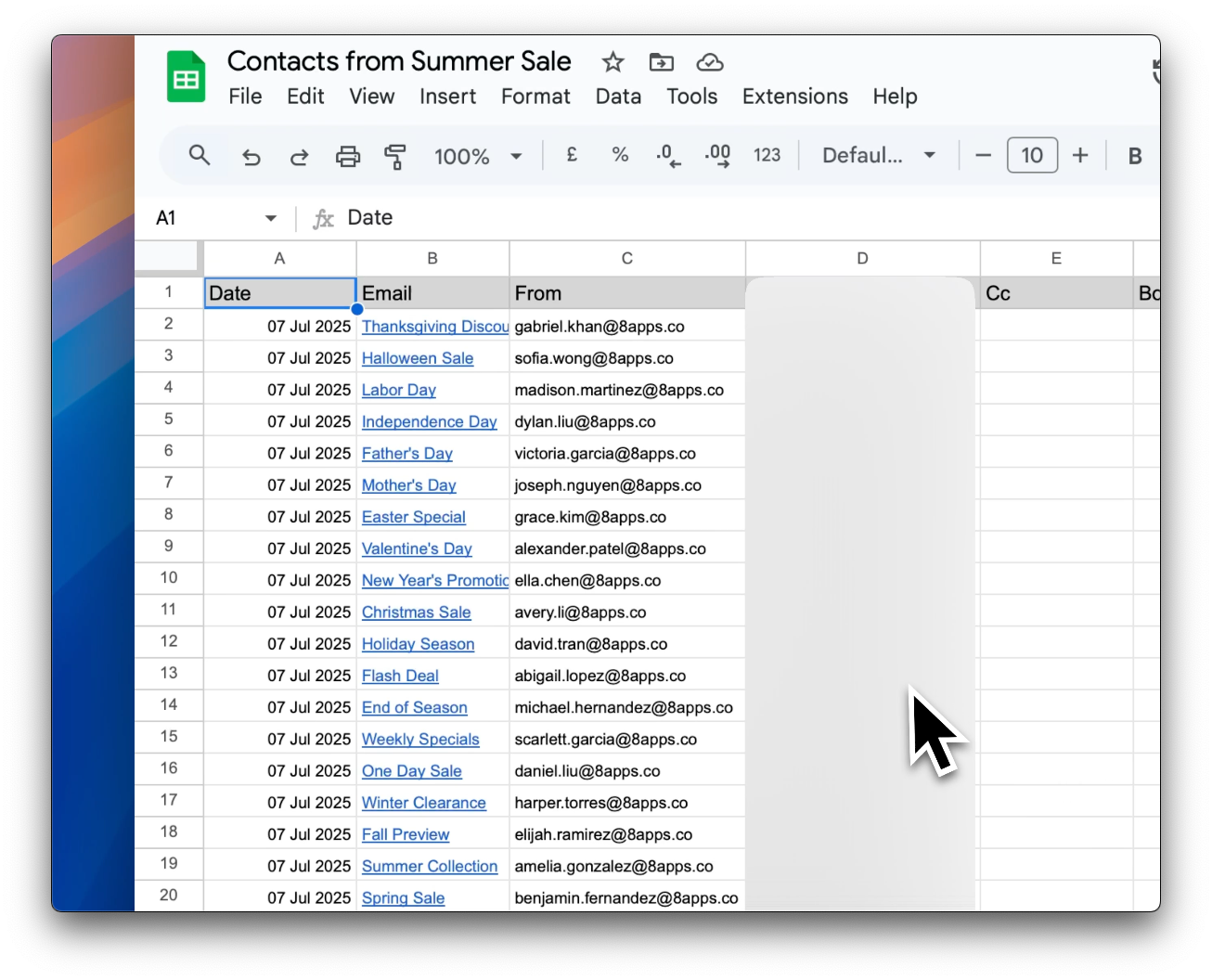
Within 15–20 seconds, your extracted contacts appear right inside the Google Sheet — neatly formatted and de-duplicated.
You'll also see a separate sheet with raw headers like:
- Email subject
- Date received
- Sender email
This helps with internal auditing, tagging, and tracing conversations — without exposing the message body.
5. Why Salespeople Love This Workflow
If you've ever thought "I wish I had a clean list of everyone I've spoken to at {client} over the years" — this is for you.
A few ways people are using Contact Extractor today:
- Reactivating old conversations to fill the top of their pipeline
- Compiling lead lists from forwarded email intros
- Scraping all the contacts they've ever emailed at a target company
And the best part? It works inside tools you already use daily.
6. Your Data, Your Control
Every byte of your data stays where it belongs — inside your Google account.
We don't use external APIs or cloud syncs. We don't ask you to trust an unknown server.
This is a tool designed with data security in mind — and verified by Google to run safely inside Gmail, Docs, and Sheets.
No Chrome extensions. No tracking. No nonsense.
7. Ready to Build Your Contact List?
Your next 100 leads are probably sitting in your inbox already. You just need a faster, safer way to collect them.
👉 Install Contact Extractor by 8apps now
Verified by Google. Built for Trust.
Every add-on in the 8apps suite — including Contact Extractor by 8apps — goes through a rigorous security assessment and OAuth verification process conducted by Google.
This includes:
- 📜 OAuth Consent Review to ensure transparency in data access
- 🔒 Independent third-party security assessment for any app that accesses user data
- 🛡️ Google Workspace Add-on Verification to confirm compliance with all API and data security policies
We designed Contact Extractor to respect your privacy — no hidden syncs, no third-party logins, and no backdoors.